Create a workflow
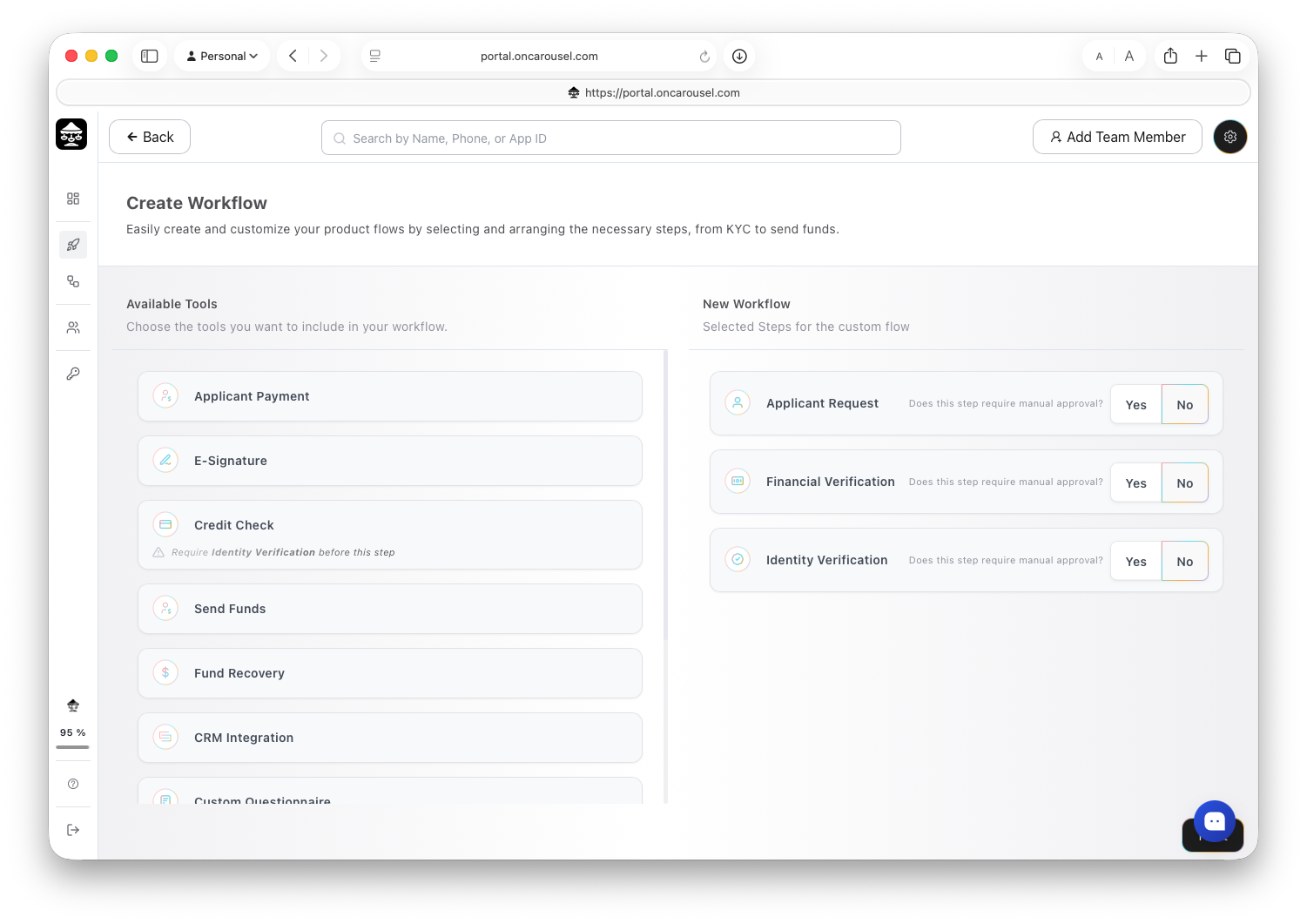
From Workflows, click Create New Workflow and assemble the steps your application needs — no code required.
Build it in the Portal
- Log in to the Carousel Portal.
- Navigate to Dashboard → Workflows → Create New Workflow.
- Use the drag-and-drop builder to assemble your flow from the available steps.
- Customize and white-label the workflow — branding, copy, and step order.
Choose what each step requires
Every step can be marked as requiring manual approval before the flow continues, or left to complete automatically. Some steps have prerequisites — a credit check, for example, requires identity verification first.
Decide who pays
A workflow is either business-paid, where you cover the verification costs, or applicant-paid, where the applicant prepays and owns their verified profile. See Pricing and usage.
Every workflow gets a unique URL the moment you save it — see Share a workflow.
What you can include
A workflow is assembled from the steps below. Mix and match whatever your application needs — each step links to more detail.
| Step | What it does |
|---|---|
| Applicant request | Collects key details about the applicant’s request, such as loan amount, purpose, and requested terms. |
| Applicant payment | Collects the verification fee from the applicant to initiate the workflow and cover the cost of running verification services. |
| Identity verification | Verifies the applicant’s identity using government-issued ID and biometric or document checks to prevent fraud. |
| Know Your Business (KYB) | Verifies a business’s identity, ownership, and registration details to confirm it is legitimate and authorized to transact. |
| Financial verification | Connects to the applicant’s bank account to retrieve income, cash flow, and transaction data for affordability assessment. |
| Credit check | Retrieves credit bureau data to assess creditworthiness. Requires identity verification first. |
| Background check | Screens criminal history and risk indicators against the verified identity. |
| Court & eviction checks | Surfaces court filings, disputes, and tenancy history from available databases. |
| Fraud, AML & compliance | Screens the applicant against sanctions and AML watchlists. |
| E-signature | Sends a document for signature and tracks it to completion. |
| Custom questionnaire | Gathers additional applicant information through dynamic, conditional forms. |
| Self-declaration | Captures applicant-provided disclosures — income, employment, and living situation. |
| Alternative credit bureau | Assesses creditworthiness for thin-file applicants and newcomers. |
Send the results onward
Add a CRM Integration step at the end to post the finished file to your own system as JSON. See the Webhook guide.

