See your submissions
Manage All Applications: your team’s shared queue, with search, filters, and columns.
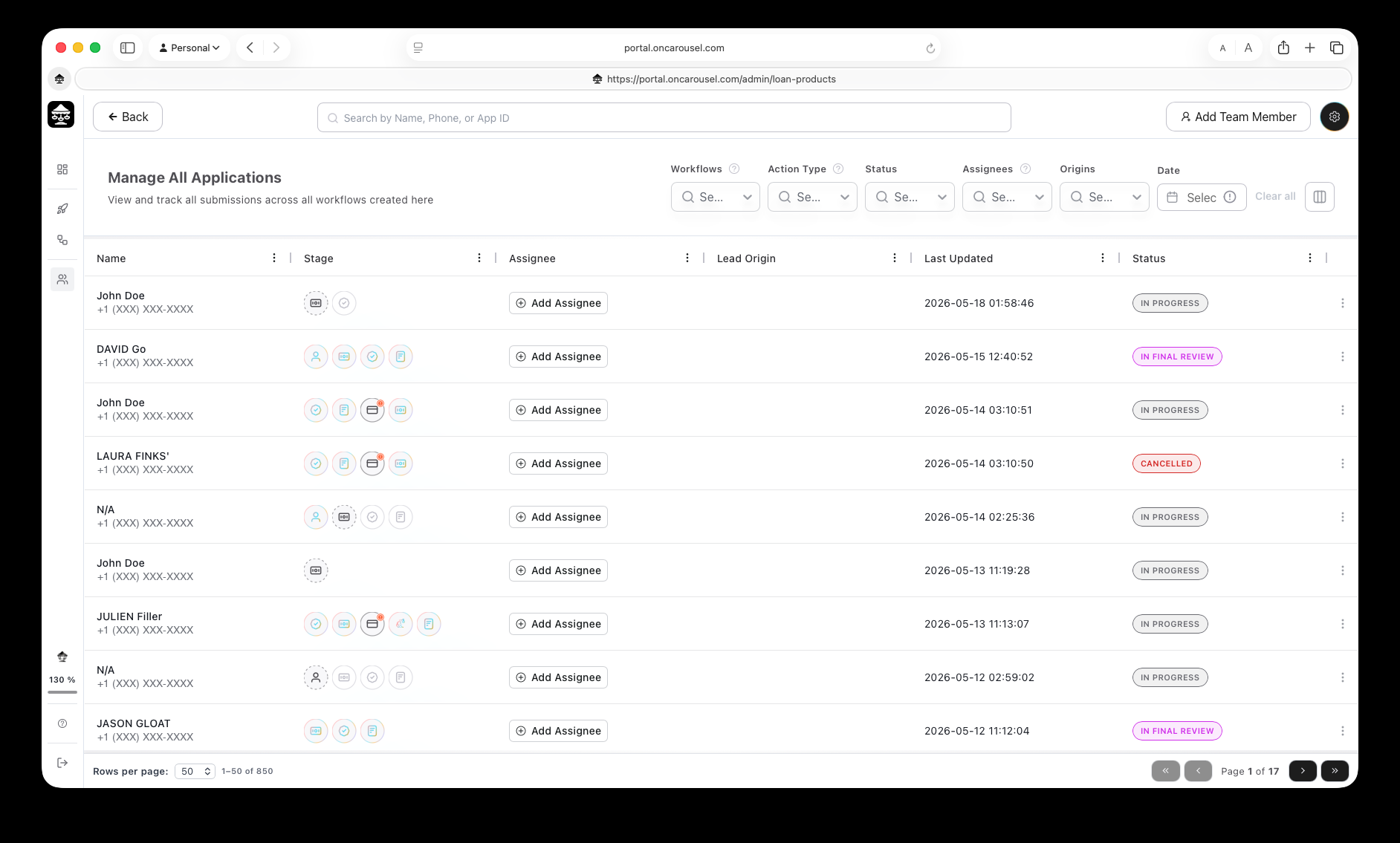
Carousel PortalManage All Applications — every submission across every workflow.
Applications lists every submission across every workflow, newest first.
Columns
- Name and phone number of the applicant.
- Stage — the step-by-step progress icons.
- Assignee — who owns the file.
- Lead origin — which link or workflow it came from.
- Last updated and Status.
Finding a file
Search by name, phone, or application ID; filter by workflow, stage, status, or assignee. See Stages & statuses for how to read each row.

